Familia IPS app

My Familia — sending parcels just got easier

Call a courier, arrange a shipment and track your parcel from Israel — right on your phone.

  • Free
  • Android 7.0 and newer
  • About 55 MB
  • Version 8.9.0
If the download has started, wait for it to finish and tap “Open”. If nothing happened, tap the button again. What to tap next is described in the section “How to install”.
You have an iPhone. For now the app works only on Android phones; an iPhone version is being prepared. To send a parcel, message us on WhatsApp or call — we will arrange everything.

On a computer?Point your Android phone’s camera at this code — a link to download the app to your phone will open.

  • The app is downloaded directly from the Familia IPS server, not through Google Play.
  • Android only for now. An iPhone version is being prepared.
A Familia IPS courier showing the My Familia app on a phone
Why download it

Everything you used to do by phone — now in one place

No need to call, wait for an answer and dictate your address. The app remembers your details and tells you where your parcel is.

Courier — no registration

Tap “Order a courier”, choose the country and enter your phone number. An operator will call you back and clarify everything.

Discount 5%

If you fill in the order yourself — address, recipient and contents — the company gives you a 5% discount on the shipment.

See where your parcel is

Picked up, at the warehouse, in transit, out for delivery — every stage with date and time.

Notifications at every step

Your phone will tell you: order received, courier picked up the parcel, parcel delivered.

Addresses and recipients are saved

Enter an address and your family’s details once — next time choose them with one tap.

Large text and your language

Text can be made large or extra large. Russian, Romanian, Ukrainian, Hebrew and other languages are available.

What it looks like

Simple screens, big buttons

These are real screens of the app. At the bottom there are always three buttons: “Parcels”, “Send”, “Profile”.
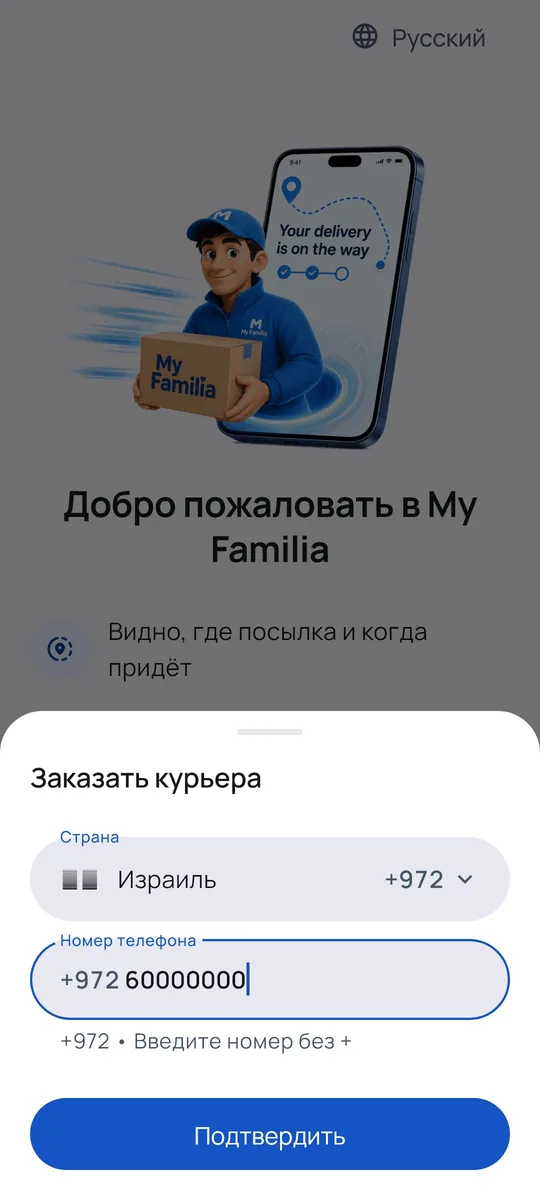
“Order a courier” screen: country and phone number
Order a courierCountry and phone — that’s all
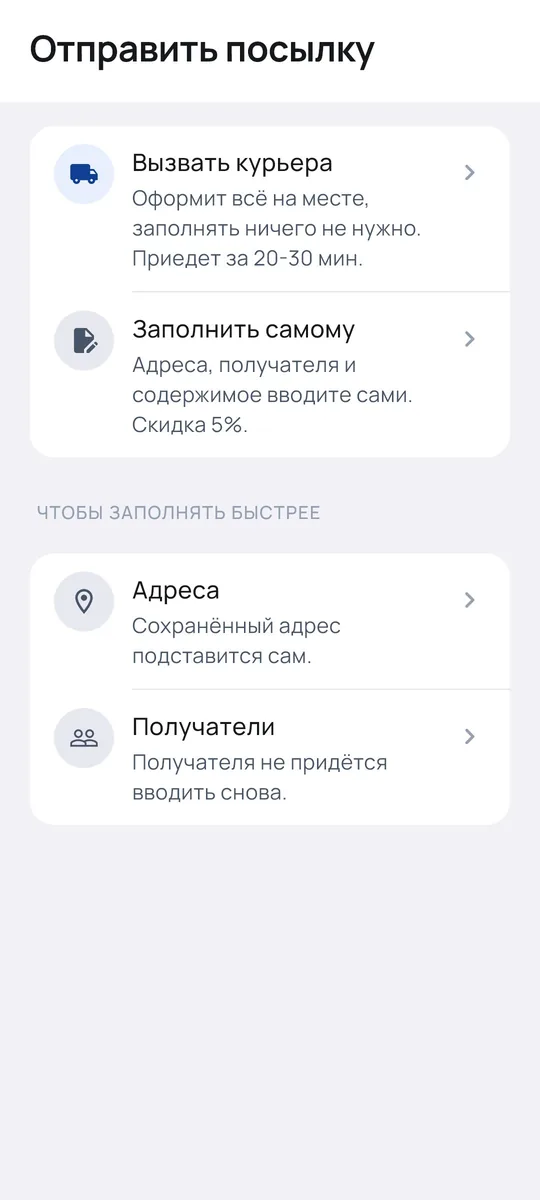
“Send a parcel” screen with a choice of how to arrange it
Send a parcelBy courier or yourself — with a 5% discount
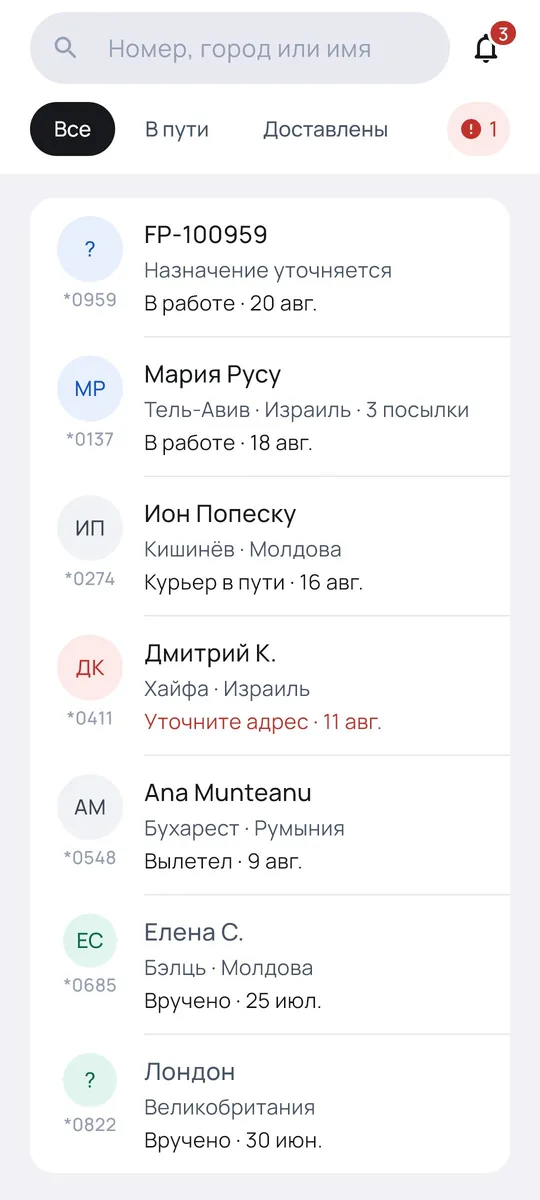
List of parcels with their statuses
My parcelsAll shipments in one list
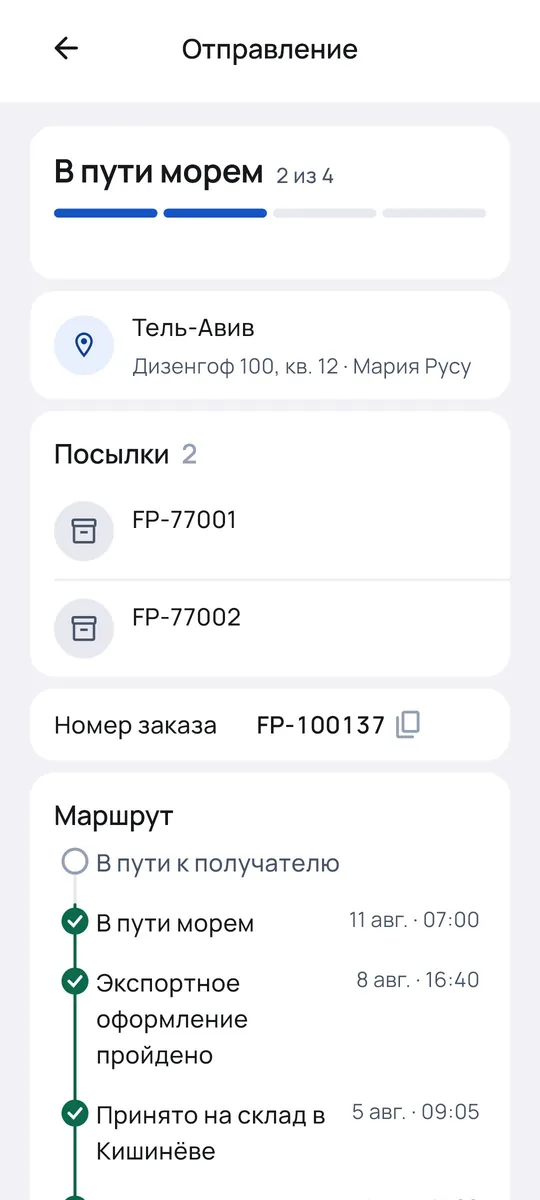
Shipment card with the parcel route
Where is my parcelRoute with dates and times
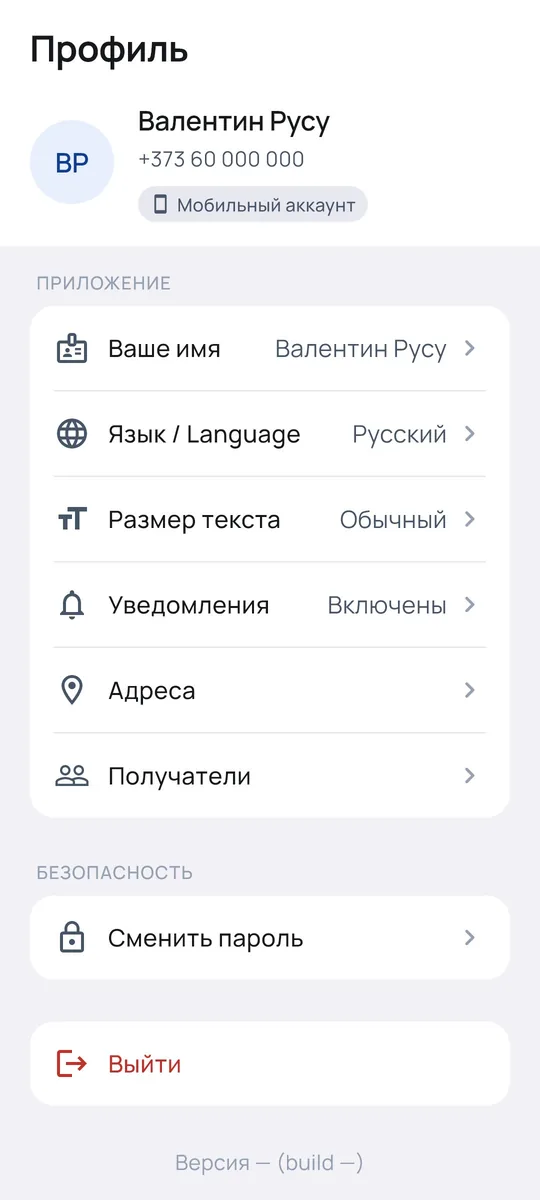
Profile: language, text size, notifications
ProfileLanguage and text size
Send a parcel

Two ways — choose what suits you

No need to weigh the parcel or calculate the cost: the courier records the weight. Payment as usual, through the office.

Call a courier

No time to fill in the details? The courier will come and arrange everything on the spot.

  • Choose an address or “My location”
  • Indicate roughly how many parcels
  • Tap “Call a courier”
5% discount

Fill it in yourself

Four short steps — and a 5% discount on the shipment.

  • From — the address where the parcel is collected
  • To — the recipient and their phone
  • What to send — clothes, shoes, electronics…
  • Confirmation — checked and tapped “Confirm”
Installation — 2 minutes

How to install the app

The app is not downloaded from Google Play, so your phone will ask for permission to install it. Below is what to tap.

  1. 1

    Download the file

    Tap the blue “Download for Android” button. If the browser asks whether to download the file, tap Download.

  2. 2

    Open it

    When the download finishes, tap Open. Or find the My Familia file in the “Downloads” folder (“Files” → “Downloads”).

  3. 3

    Allow installation from this source

    If your phone says installation from this source is not allowed, tap Settings and turn on Allow from this source — only for the app you used to download the file (the browser or “Files”). Then go back.

  4. 4

    Tap “Install”

    Tap Install, and when the installation finishes — Open. If Google Play Protect reports a threat or blocks the app, do not continue and message us.

About safety. Android asks for the “from this source” permission for any app downloaded outside Google Play. Download My Familia only with the button on this page. If Google Play Protect reports a threat or blocks the installation, do not turn off the protection — message us on WhatsApp or call +972 5599-14999. Button names on Samsung, Xiaomi and other phones may differ slightly.

After installation

How to recognise the app on your phone

Remember these images — this way you will know right away that you have opened My Familia.

My Familia app icon: a blue circle on a dark background My Familia
Icon on the phone screenA dark square with a blue circle. Look for it among your other apps.
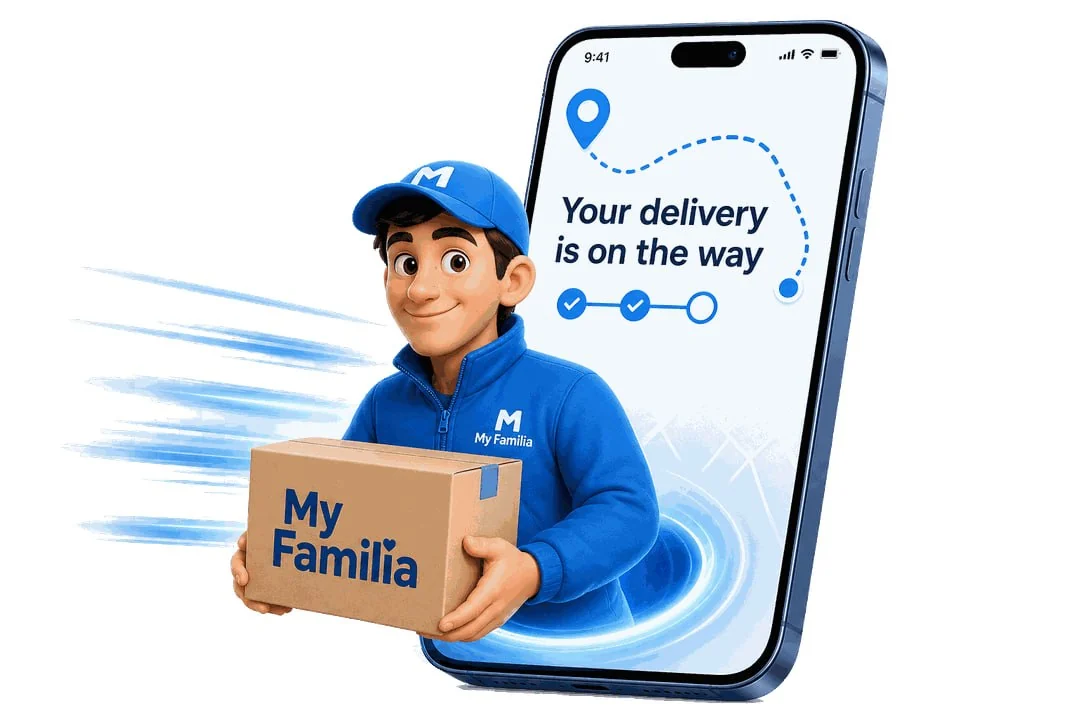
My Familia opening screen: a courier with a box and a phone saying Your delivery is on the way
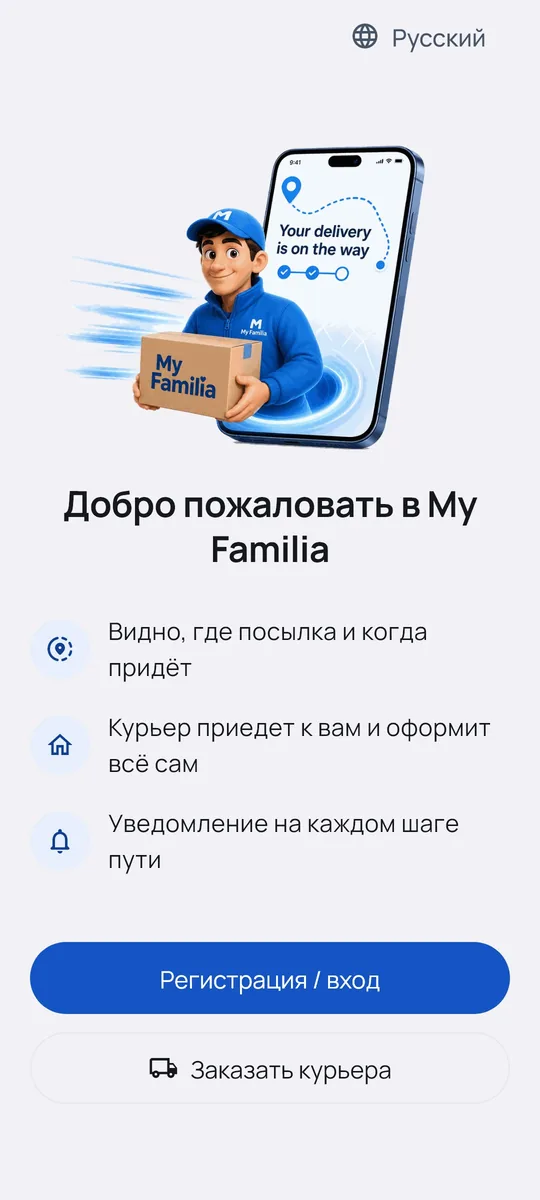
What the app looks like when it opensA courier in a blue uniform with a My Familia box. After a couple of seconds the main screen opens.
My Familia welcome screen with “Sign up / Log in” and “Order a courier” buttons
First screenTwo buttons — choose the one you need

First launch

  1. 1

    Tap the My Familia icon

    The courier with the box appears, then a screen with two big buttons.

  2. 2

    Need a courier right now?

    Tap “Order a courier”, choose the country and enter your number — without “+” and without a leading zero. An operator will contact you.

  3. 3

    Want to see your parcels?

    Tap “Sign up / Log in” and enter your phone number. You will receive a 6-digit code — enter it. No password needed.

  • 📱 Android 7.0 and newer
  • 🌐 Internet required
  • ☎️ Your phone number
Questions and answers

Frequently asked questions

Is the app paid?
No, you can download and use it for free. You pay for delivery as usual — through the office. No money is charged in the app and you don’t need to enter card details.
Why isn’t it on Google Play? Is it safe?
My Familia is the Familia IPS app; it is downloaded directly from our server, not from Google Play. That is why your phone will ask you to allow installation from this source. Download the app only with the button on this page. If Google Play Protect reports a threat or blocks the app, do not install it and contact us on WhatsApp or by phone +972 5599-14999.
Do I have to register?
No. You can call a courier right away, using just your phone number. Registration is needed to see your parcels. Requests made before registration are not lost — the app moves them to your account automatically.
Do I need to weigh the parcel myself?
No. The courier records the weight and cost when picking up the parcel. You will then see them in the shipment card.
The text is small and hard to read. Can it be larger?
Yes. Open “Profile” → “Text size” and choose “Large” or “Extra large”.
The login code doesn’t arrive
Check that the correct country is selected and the number is entered in full. Wait for the timer to finish and tap “Send code” again. The code may arrive not by SMS but as an app notification — the screen will tell you where it was sent. After several wrong codes, login is blocked for 30 minutes.
My phone number is not accepted
First choose the country — the country code is added automatically. Enter the number without “+” and without a leading zero.
I don’t get parcel notifications
Open “Profile” → “Notifications” → “Allow”. If that doesn’t help, check that notifications for My Familia are enabled in your phone settings.
Which languages does the app have?
Russian, Romanian, English, Hebrew, Ukrainian, Uzbek and Georgian. Change the language with the globe icon on the first screen or in “Profile” → “Language”.
I have an iPhone. What should I do?
For now the app works only on Android; an iPhone version is being prepared. Meanwhile you can send a parcel as before — message us on WhatsApp or call.

Can’t install it?

Message us — we’ll help step by step, it takes a couple of minutes.

+972 5599-14999 Sun–Thu: 08:00–21:00
Fri: 08:00–16:00 · Sat: closed
(Israel time)

My Familia — let’s stay close!

Install the app and send parcels from Israel even more easily.

Download for Android